Introducing New Shapes in ToDiagram
Aykut Saraç
• May 2, 2026
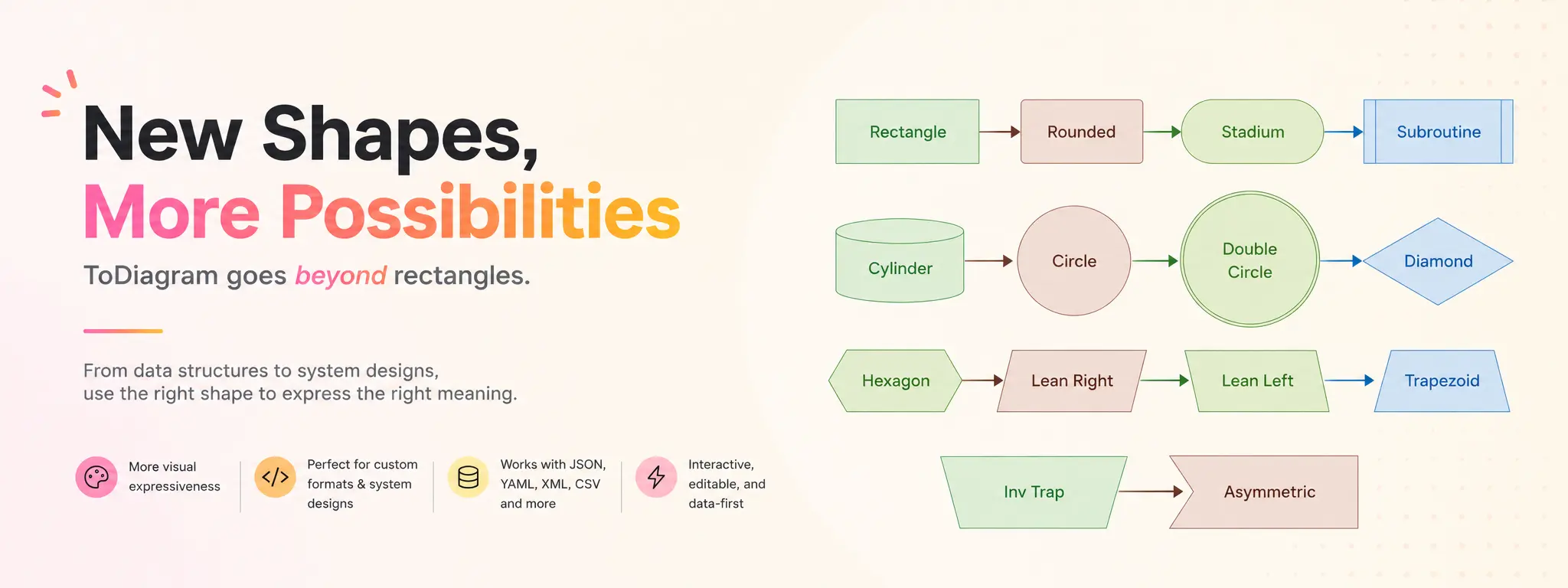
ToDiagram now supports new node shapes for Mermaid and custom diagrams.
Until now, most diagrams in ToDiagram leaned on the same rectangular node style. That works well for structured data, but flowcharts often need more visual language: starts and ends, decisions, databases, subprocesses, inputs, outputs, and terminals should not all look the same.
Shapes make those roles visible at a glance.
What's Supported
You can now use:
- Stadiums for starts, ends, and terminal states
- Diamonds for decisions and branches
- Cylinders for databases and storage
- Circles and double circles for compact states
- Subroutines for grouped or reusable steps
- Hexagons, parallelograms, trapezoids, and asymmetric nodes for richer flowchart notation
Mermaid's familiar flowchart shape syntax now renders as the matching silhouette in ToDiagram.
flowchart LR
    Start([Start]) --> Decide{Approved?}
    Decide -->|yes| Store[(PostgreSQL)]
    Decide -->|no| End(((Done)))
    Store --> End
Edges also anchor to the visible shape instead of the node's bounding box, so connections meet circles, diamonds, and hexagons cleanly.
Custom Diagrams Too
Shapes are also available in the ToDiagram custom format with the shape field.
{
  "nodes": [
    { "id": "start", "label": "Start", "shape": "stadium" },
    { "id": "review", "label": "Review", "shape": "diamond" },
    { "id": "db", "label": "PostgreSQL", "shape": "cylinder" },
    { "id": "done", "label": "Done", "shape": "double-circle" }
  ],
  "edges": [
    { "from": "start", "to": "review" },
    { "from": "review", "to": "db", "label": "approved" },
    { "from": "db", "to": "done" }
  ]
}
For non-rectangular shapes, ToDiagram keeps the node focused on the label. You can still pair them with icons or images when you want a stronger visual cue.
Try It
Open the ToDiagram editor, choose Mermaid or ToDiagram, and add a shape to your next flowchart.
Small visual differences make diagrams easier to scan. This update gives you more of that language without changing how you write diagrams.