AI Diagram Generator
ToDiagram has AI-powered diagram generator that transforms text prompts into interactive diagrams. Simply describe your desired diagram, and let ToDiagram Copilot bring your ideas to life with ease and precision.
Trusted by 2500+ happy users worldwide
Used by professionals working at









Generate architectural, network, flowcharts, and more with AI
ToDiagram Copilot leverages advanced AI technology to convert your text prompts into detailed and accurate diagrams. Whether you need architectural layouts, network diagrams, flowcharts, or other types of visual representations, ToDiagram Copilot makes it easy to create professional-quality diagrams quickly and efficiently.
Sign up free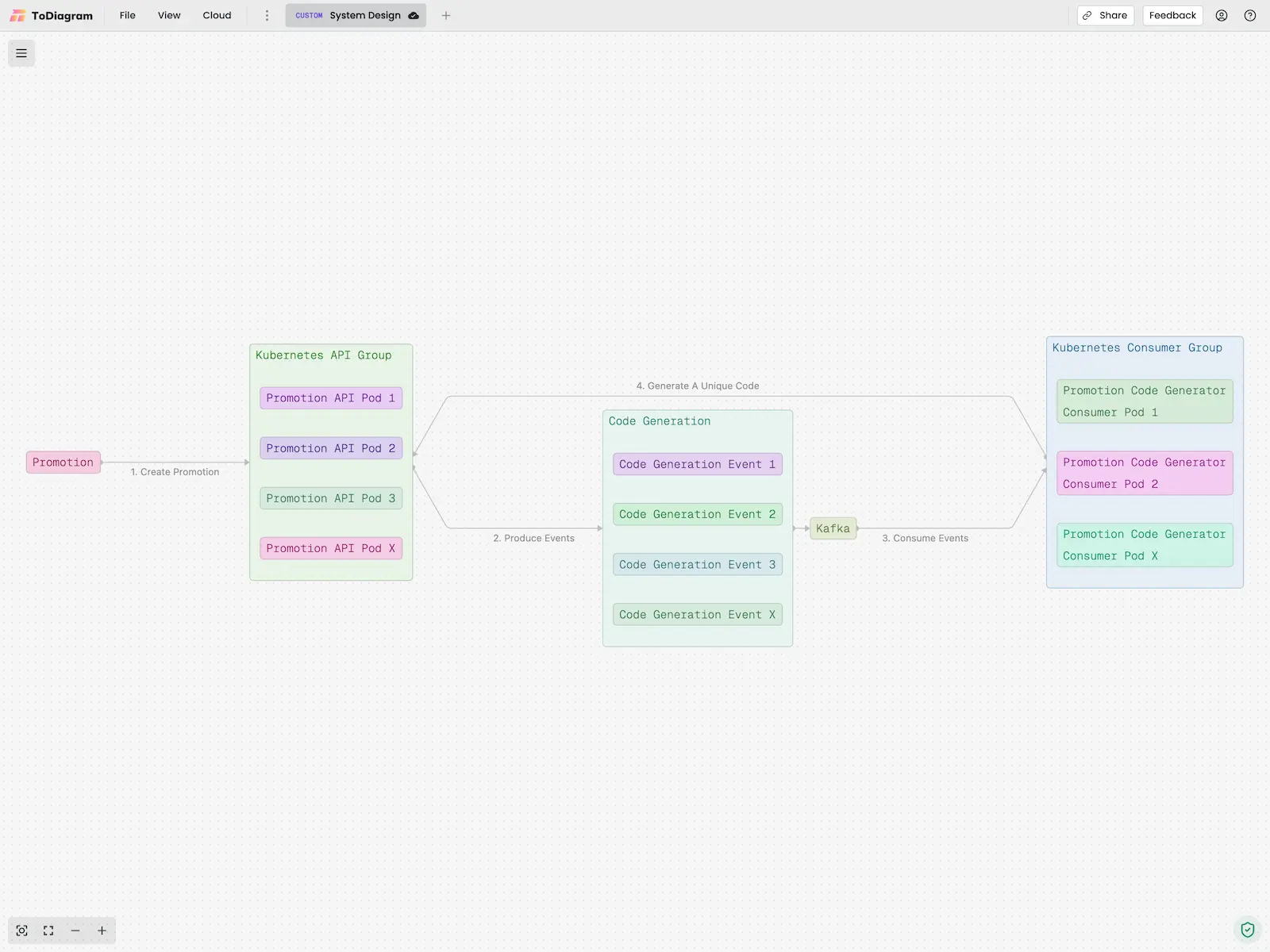

How to Create Diagrams with ToDiagram Copilot?
Creating diagrams with ToDiagram Copilot is simple and intuitive. Start by entering a text prompt that describes the diagram you want to create. Be as detailed as possible to ensure the AI understands your requirements. Once you've entered your prompt, ToDiagram Copilot will process the information and generate an interactive diagram based on your description. You can then customize and edit the diagram as needed to fit your specific needs.

How Do I Get Access to ToDiagram Copilot?
ToDiagram Copilot is included with Pro and Teams plans: no API keys to manage and no separate AI bill. Your subscription comes with a daily number of runs, so you can turn prompts into diagrams the moment you sign in. We handle the model and the infrastructure so you can focus on the diagram.

Can I Export Diagrams Created with ToDiagram Copilot?
Yes, diagrams created with ToDiagram Copilot can be exported in various formats, including PNG, JPEG, and SVG. This allows you to easily share your diagrams with colleagues, clients, or stakeholders, or incorporate them into presentations, reports, or other documents. Simply choose the desired export format and download your diagram for use in any application.

How to generate AI diagrams in the editor?
Open the editor in a ToDiagram or Mermaid tab and click the sparkle button at the bottom-left of the canvas, or type into the prompt bar on an empty tab. Describe the system, process or data model and the draft appears on the canvas as it streams. With a diagram open, describe a change and the Copilot applies it in place, or ask a question and it answers from the diagram.
Frequently Asked Questions
Find questions and answers about our platform, services, and more.
More questions? Send us a message.