

XML
Transform hierarchical XML structures into diagrams
Transform hierarchical XML structures with attributes and CDATA sections.
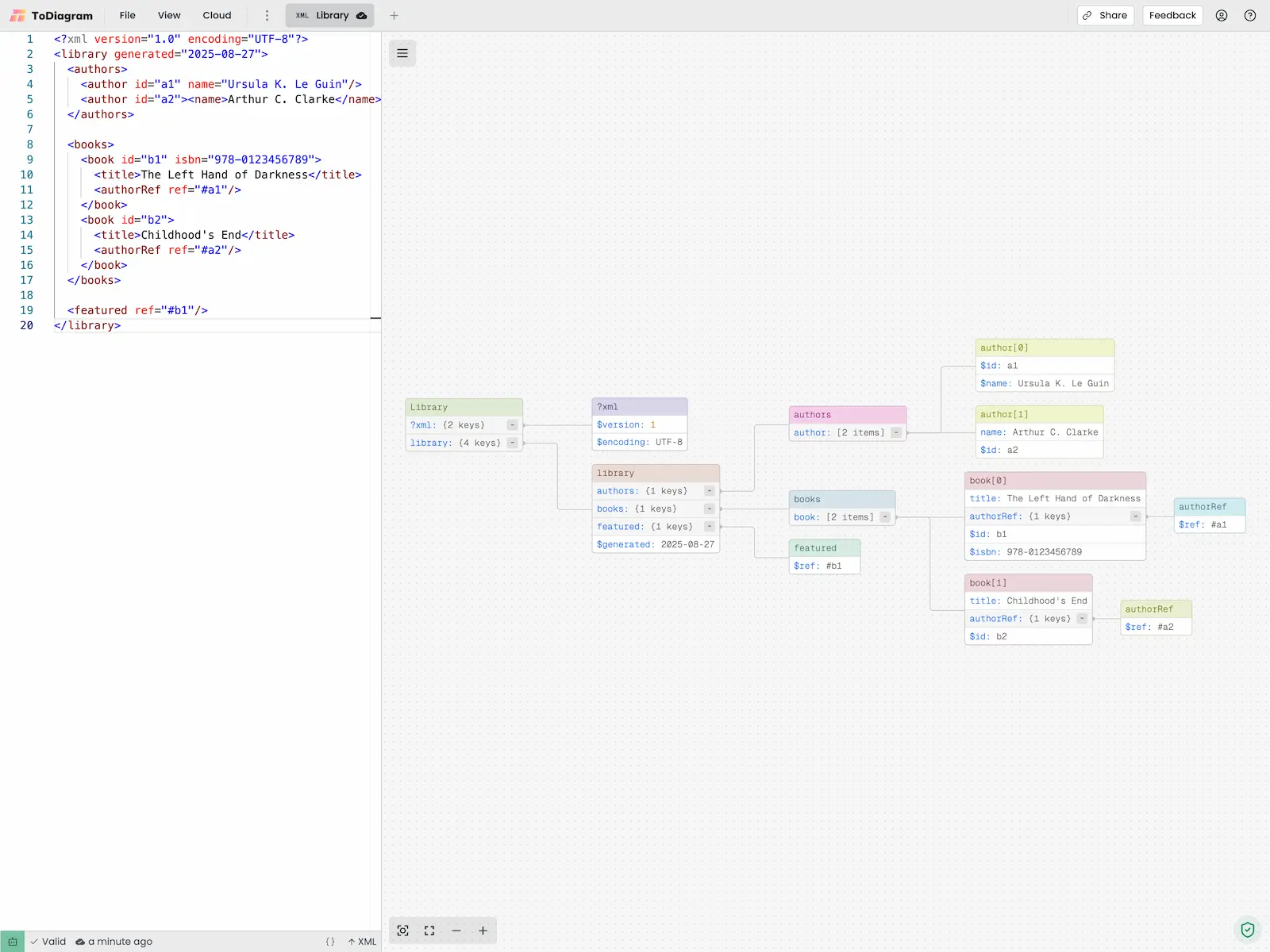
Example
<user id="123">
  <name>John Doe</name>
  <email>[email protected]</email>
  <role>developer</role>
  <permissions>
    <permission>read</permission>
    <permission>write</permission>
  </permissions>
</user>
XSD Linking
Visualize relationships across multiple .xsd files by linking them together.
- Import your
.xsdfiles into the editor. - Right-click on a secondary XSD tab and select Link to {primary tab}.
- The primary tab now displays a unified diagram with cross-file type references shown as edges.
Example
company.xsd (primary)
<xs:schema xmlns:xs="http://www.w3.org/2001/XMLSchema">
  <xs:element name="Company">
    <xs:complexType>
      <xs:sequence>
        <xs:element name="name" type="xs:string"/>
        <xs:element name="founded" type="xs:date"/>
        <xs:element name="department" type="Department"/>
      </xs:sequence>
    </xs:complexType>
  </xs:element>

  <xs:complexType name="Department">
    <xs:sequence>
      <xs:element name="name" type="xs:string"/>
      <xs:element name="budget" type="xs:decimal"/>
      <xs:element name="lead" type="Employee"/>
    </xs:sequence>
  </xs:complexType>
</xs:schema>
employees.xsd (linked)
<xs:schema xmlns:xs="http://www.w3.org/2001/XMLSchema">
  <xs:complexType name="Employee">
    <xs:sequence>
      <xs:element name="employeeId" type="xs:string"/>
      <xs:element name="name" type="xs:string"/>
      <xs:element name="role" type="xs:string"/>
      <xs:element name="address" type="Address"/>
    </xs:sequence>
  </xs:complexType>

  <xs:complexType name="Address">
    <xs:sequence>
      <xs:element name="street" type="xs:string"/>
      <xs:element name="city" type="xs:string"/>
      <xs:element name="zip" type="xs:string"/>
    </xs:sequence>
  </xs:complexType>
</xs:schema>